Turn every shopping moment into a reason to come back.
Connect store events to timely customer messages that recover carts, confirm orders, and encourage repeat purchases across SMS, WhatsApp, and RCS.
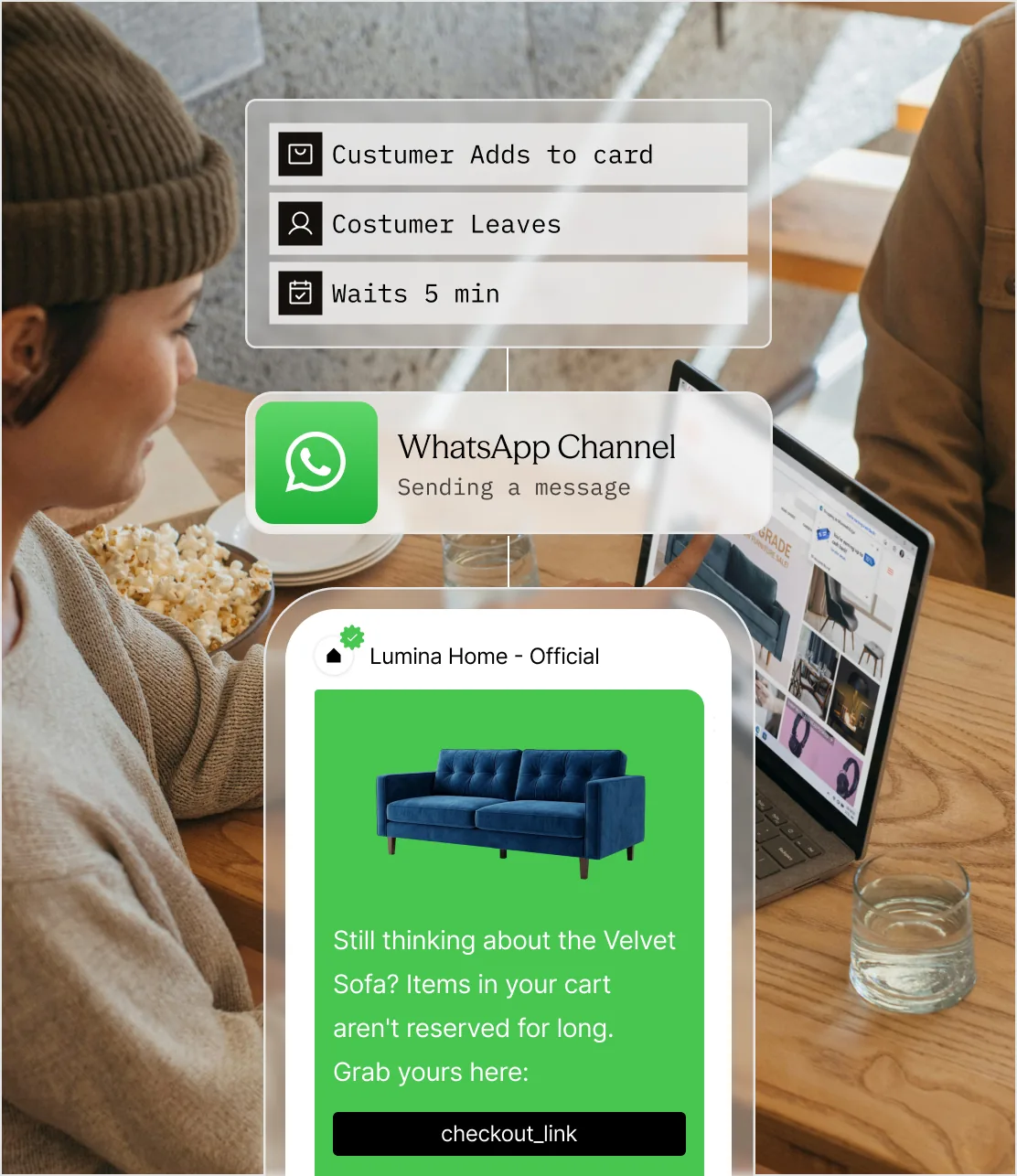
Commerce moves fast. Customer messaging often does not.
Customers move from browsing to buying to delivery in minutes or days. When messaging is late, generic, or disconnected from the order, revenue and trust disappear at the same time.
The intent window closes
A shopper can leave with a full cart and forget it just as quickly. A reminder that arrives after the buying moment has passed is only noise.
Order uncertainty becomes support volume
When confirmation, shipment, or delivery updates are missing, customers ask support for information the order system already knows.
Broad campaigns waste attention
The same promotion sent to every customer ignores browsing history, purchase stage, preferences, and the difference between urgency and relevance.
Meet Sent: the messaging layer behind the customer journey.
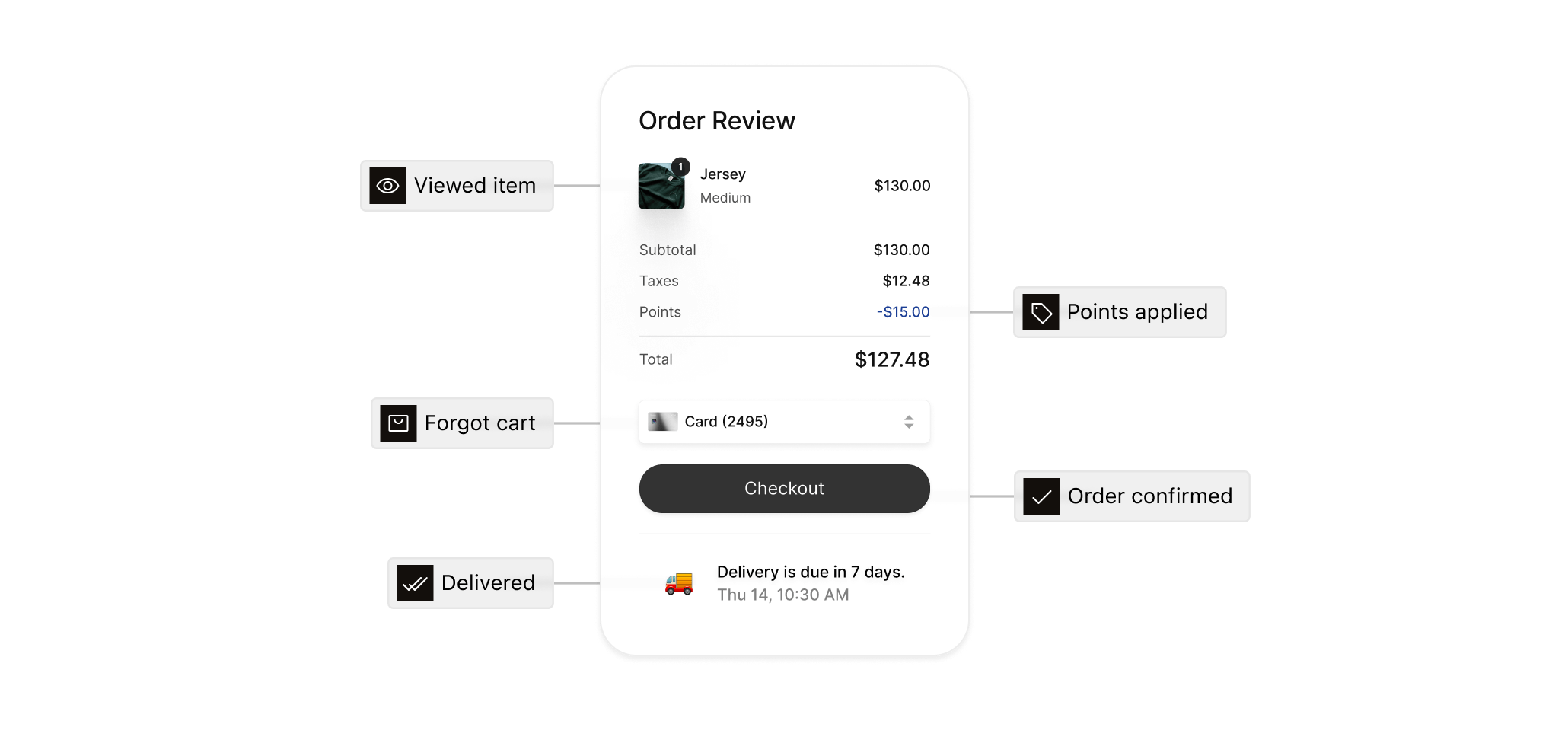
Support the whole purchase journey without stitching together messaging tools.
The two large cards cover revenue and post-purchase communication. The three compact cards show the supporting capabilities that make those journeys useful.
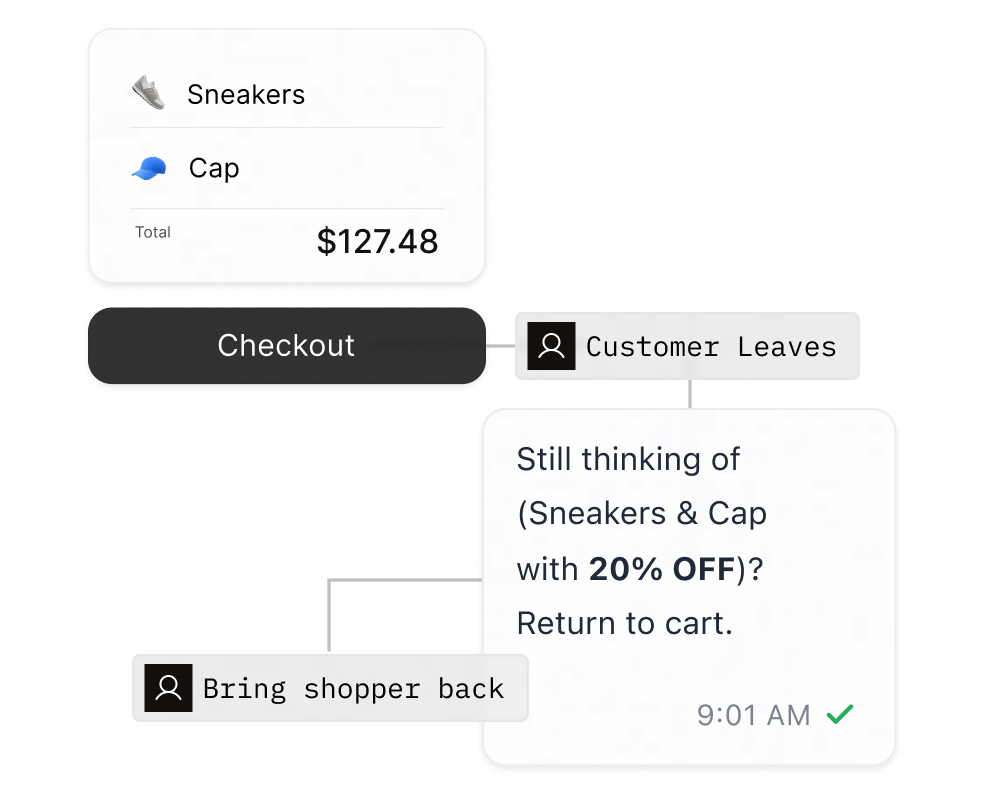
Recover high-intent shoppers
Trigger a recovery journey when checkout stops. Rebuild the cart inside the message with product details, an offer when appropriate, and a direct route back to checkout.
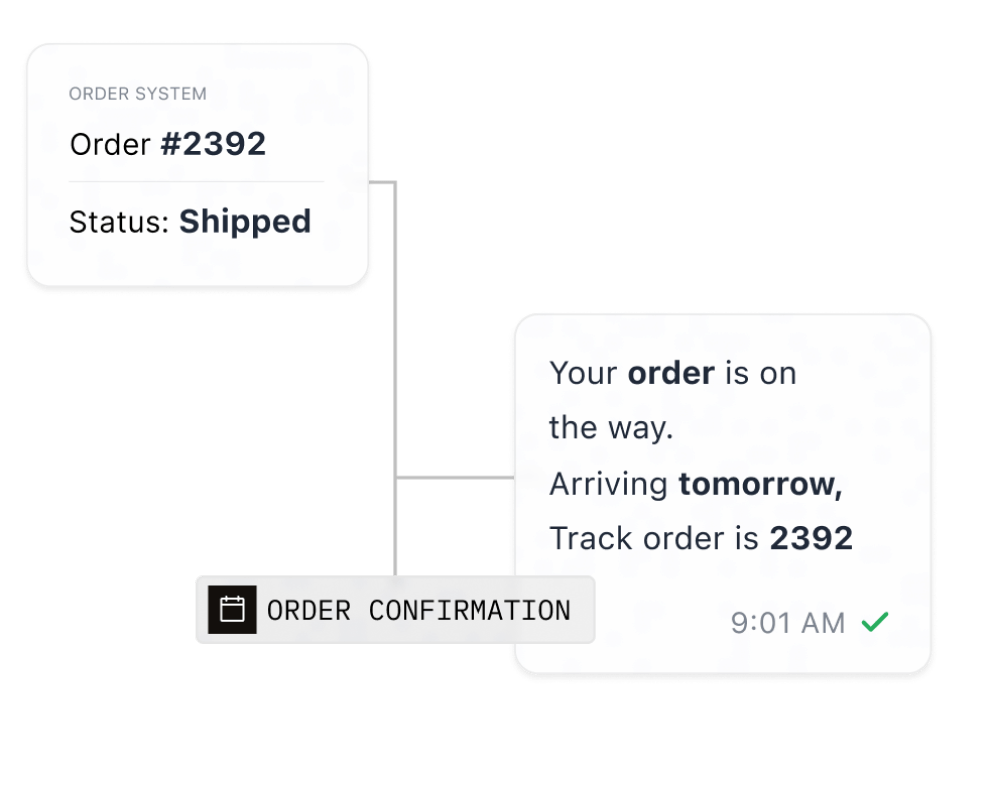
Turn order events into useful updates
Send confirmations, shipment progress, delivery windows, and exception alerts from the systems that already manage the order.
Bring products into the message
Use dynamic template variables, media, and channel-native actions to show the exact item or order being discussed.
Re-engage from real behavior
Use events from your CRM or commerce platform to trigger restock, replenishment, loyalty, and win-back messages.
Measure actions, not just sends
Return delivery, read, reply, click, and purchase signals to the analytics tools your team already uses.
Connect commerce events to customer action.
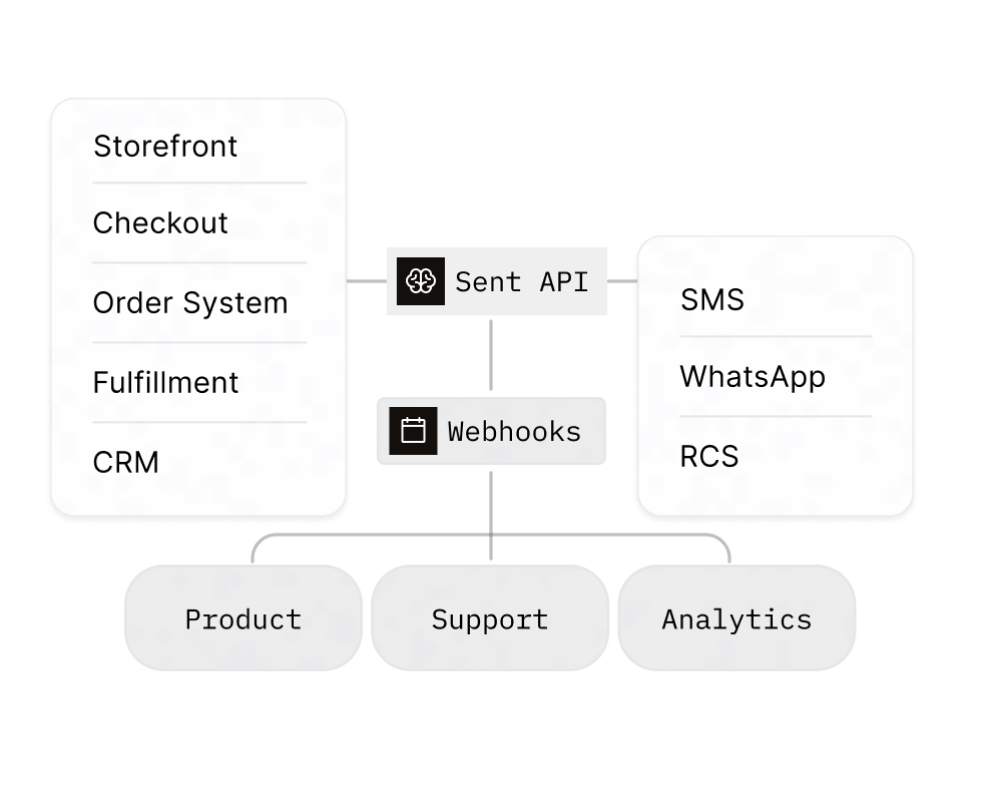
Connect once to the commerce stack
Trigger Sent from the storefront, checkout, order system, fulfillment provider, or CRM through one messaging API. Use webhook events to keep product, support, and analytics aligned after the send.
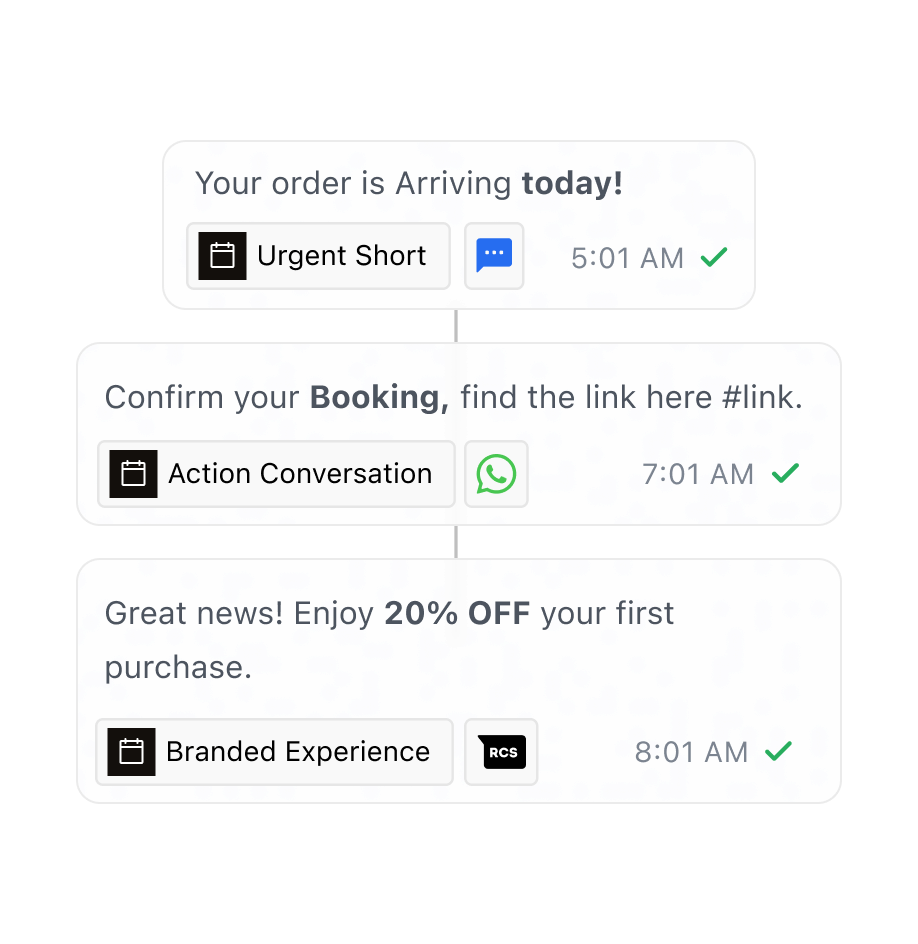
Give each moment the right channel and format
Use SMS for concise urgency, WhatsApp for conversational actions, and RCS for branded product experiences. Sent can choose an available path or follow the channel order your team sets.
Build customer value without spending customer trust.
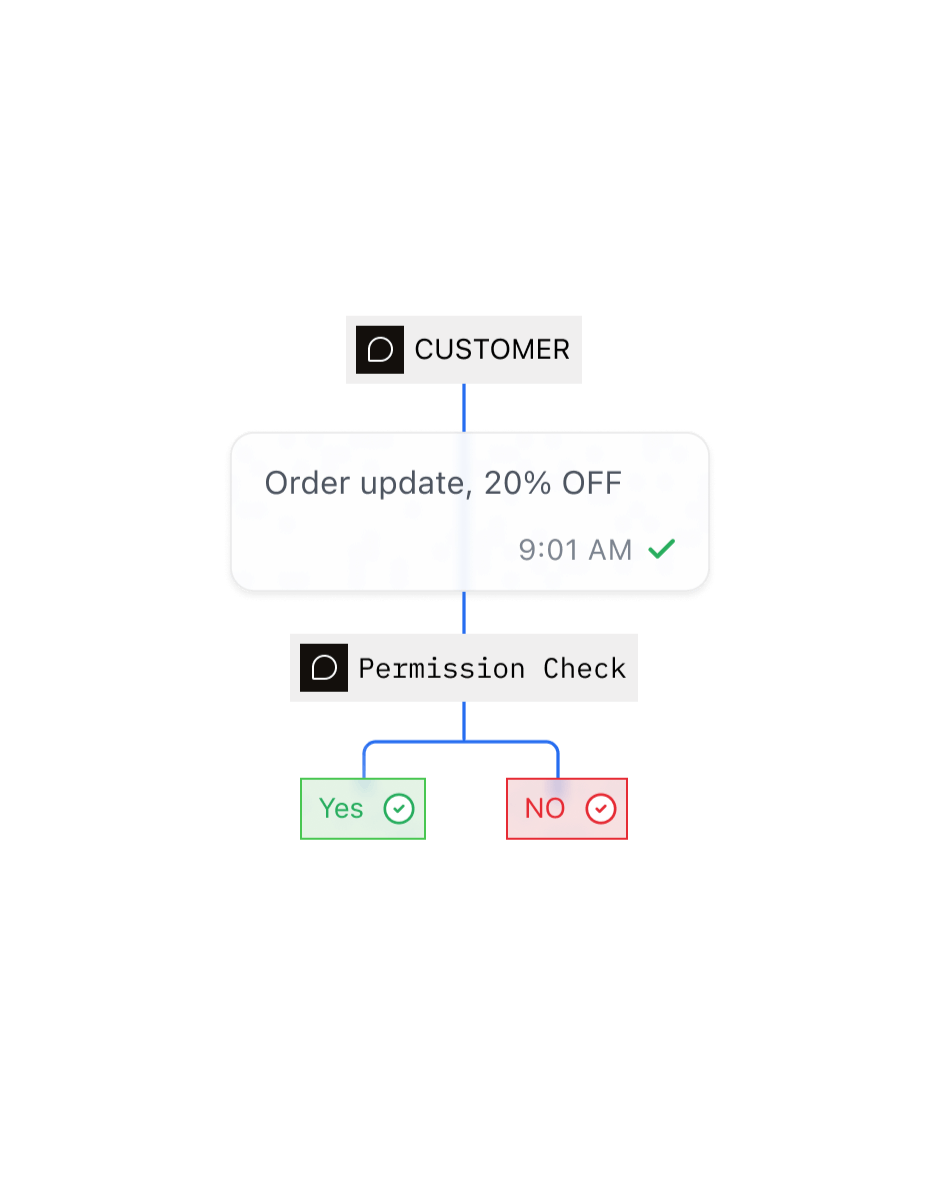
Keep marketing consent separate from transactional communication, honor opt-outs, and stop blocked sends before they reach a provider.
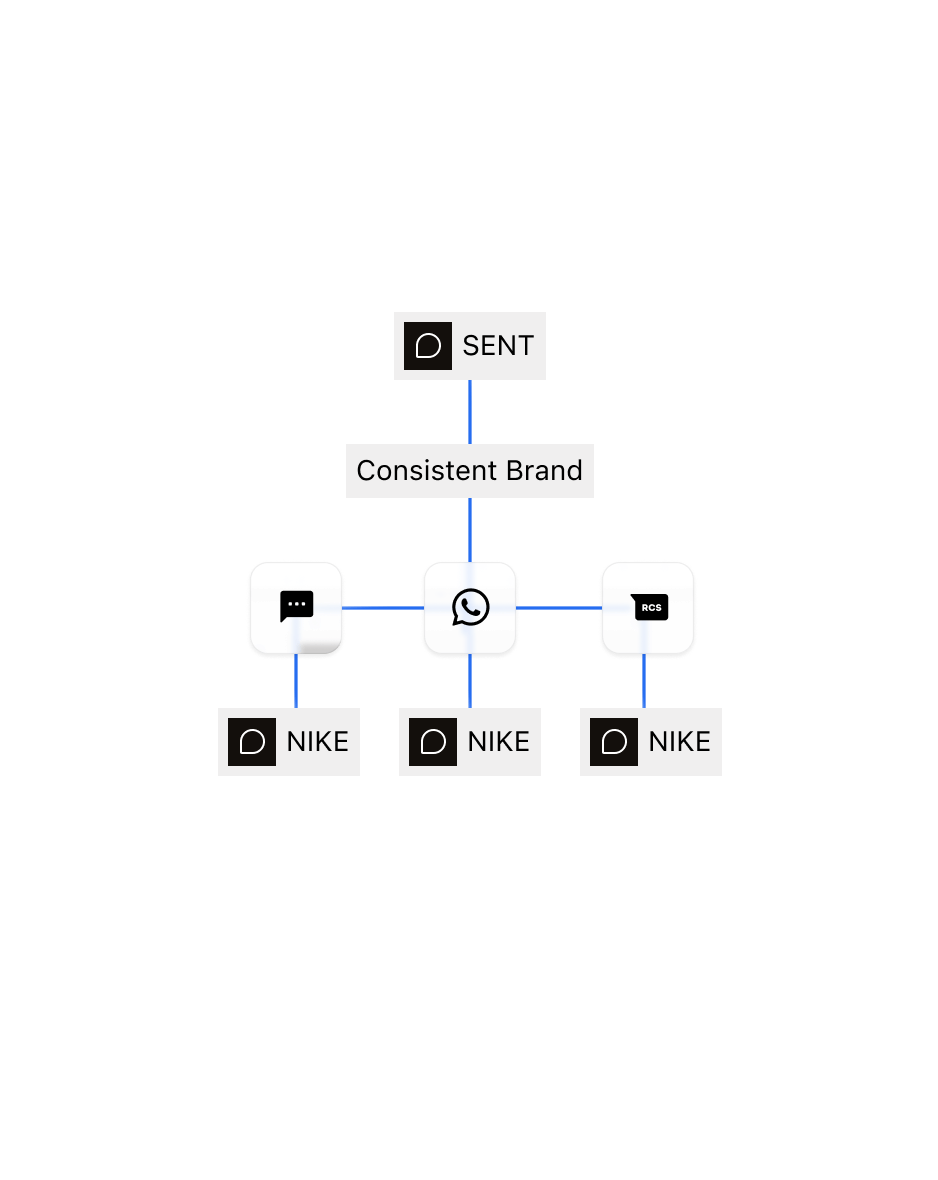
Use approved sender profiles and reusable templates so commerce messages stay recognizable across teams and channels.
Track message IDs, delivery states, failures, and inbound responses so support can see what the customer actually received.
Frequently asked questions
Your storefront, checkout, order system, fulfilment provider, or CRM calls the Sent API when something happens, such as a cart being abandoned or an order shipping. Sent then delivers the message over SMS, WhatsApp, or RCS. Your systems stay the source of truth for carts and orders, and Sent reports delivery back through webhooks.
When checkout stops, your store triggers a Sent message built from a template with the customer's name, the items, and a link back to their cart. Your store decides the timing. A later reminder can be scheduled ahead and cancelled through the API if the customer buys first. Sent tracks clicks on the cart link.
The updates customers would otherwise chase: order confirmed, shipped, out for delivery, delivered, and any problem such as a delay or failed delivery. Build them as utility templates with the order number and tracking link as variables. Keep promotional language out of them, so WhatsApp approves them as transactional messages.
SMS reaches every phone and suits short, urgent updates. WhatsApp adds product images, buttons, and two-way conversations. RCS shows your brand name and logo with tappable chips on Android. When Sent chooses the channel, it picks the best one each customer can receive, from a single template.
Sent reports delivery, read, reply, and link-click events for every message, each tied to a message ID. Clicks come from the links Sent automatically shortens and tracks. To measure sales, match those message IDs with orders in your store or analytics tool; Sent doesn't record purchases itself.
Yes, through Sender Profiles. An organization account can hold a Sender Profile for each store or brand. Each profile has its own templates, contacts, sender numbers, and compliance settings, so each store's messages carry its own identity. One organization API key can send as any of its profiles.
Yes. A single Sent API request can reach up to 1,000 recipients, and the standard rate limit is 10,000 requests per minute. Sent spreads traffic across multiple providers and monitors their health, so a busy campaign isn't held back by a single provider.